Every registered user has a couple of ways to access their referral link and share it with their friends:
- My Account page – Refer a friend tab
- Single product page – Refer a friend tab
- Landing page – customer-made with shortcode
My Account page
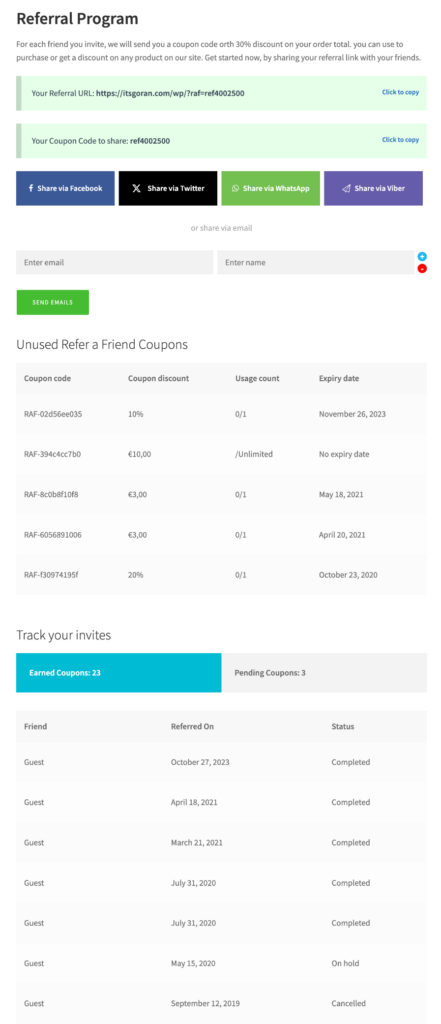
These options are used for the “My Account” page and every user registered with your WooCommerce store has access to them. On this page, there will be a “Refer a friend” tab where the user can check their referral stats.
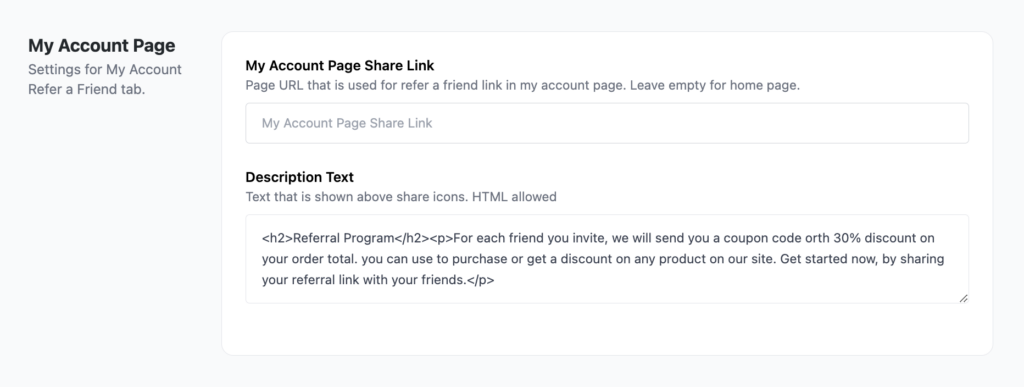
My Account Page Share Link – Paste the page URL that you want your users to use for sharing their referral link. If you’d like, you can push a specific product through this URL, but if not, you can just leave it empty and the URL will default to the store’s home page.
Additionally, you can create a landing page explaining some of the benefits of coming through a referral link.
Description text – This is the text shown above the share icons. HTML is allowed.
Here’s an example of what that would look like on the front end.
Single Product page
If you want to have a “Refer a friend” tab on each product, go to plugin settings -> Woo Product Tab and enable this option. Click here and log in to see what it looks like.
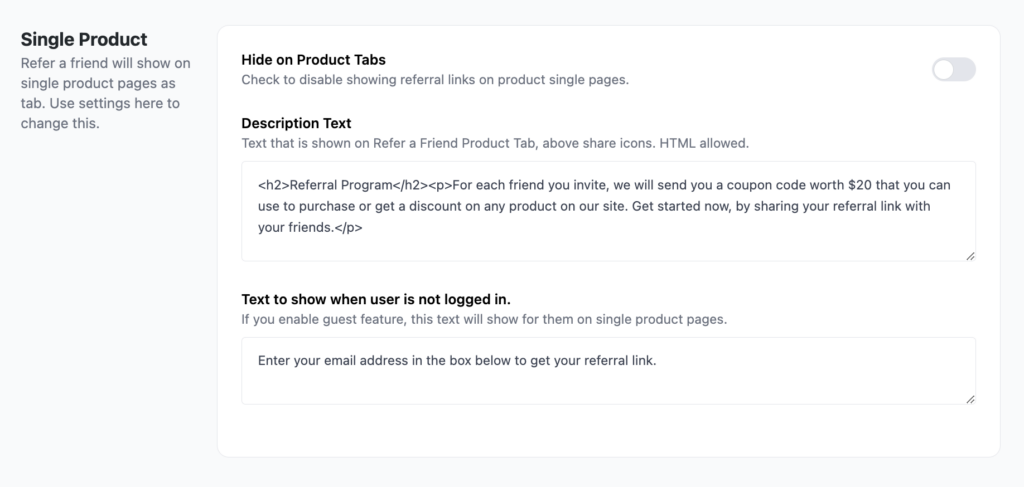
You have two options here
- one is the text to place above the share links, and some call-to-action text.
- the other is the guest text that will show for users who are not logged in.
Landing page
The logic behind this is to create a custom page that will have the WooCommerce Refer a Friend advanced shortcode in it, which then shows both the referral link and sharing icons. You can customize this page to add some explanation to the store visitior, as well as show display the reward for program engagement.
Here are a few examples of how advanced shortcode is used:
- https://www.birchandfog.com/refer-a-friend/
- https://www.forceofnatureclean.com/lp-refer-friend-program/
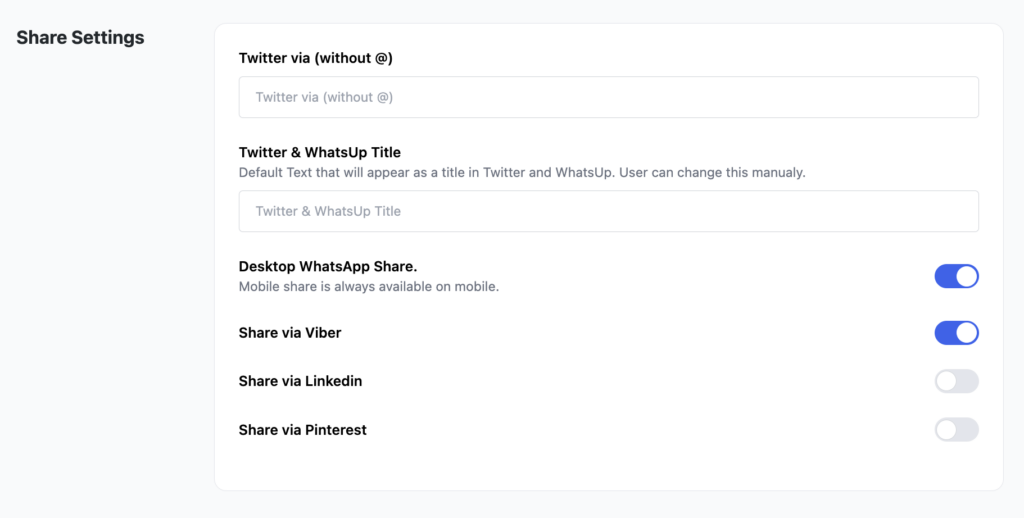
Share settings
With the updated layout, you can also set up different share settings, such as handles, social sharing, etc.