With Points & Rewards for WooCommerce, you can offer points for a wide range of customer activities—like registering, writing reviews, placing orders, referring friends, or even following your brand on social media. These incentives help increase engagement and loyalty across the customer journey.
Default Earning Actions
To get started quickly, the plugin includes several predefined actions that you can enable or disable as needed. Each one can be customized with its own title and point value.
You can find and manage these by going to:
- Points & Rewards > Setup > Ways to Earn
Here are a few common examples:
| Action Type | Default Points | Description |
|---|---|---|
| Place Order | 1 per $1 spent | Earn points based on cart total |
| Registration | 100 | Reward for creating an account |
| Product Review | 50 | Earn points for leaving a product review |
| Facebook Like | 20 | Points for liking your Facebook page |
| Instagram Follow | 10 | Reward for following on Instagram |
| Birthday Points | 200 | Grant points on a customer’s birthday |
| Refer a Friend | 500 | Awarded after a successful referral |
Creating Custom Earning Actions
Need something more specific? You can create your own custom actions.
- Navigate to Points & Rewards > Setup > Ways to Earn.
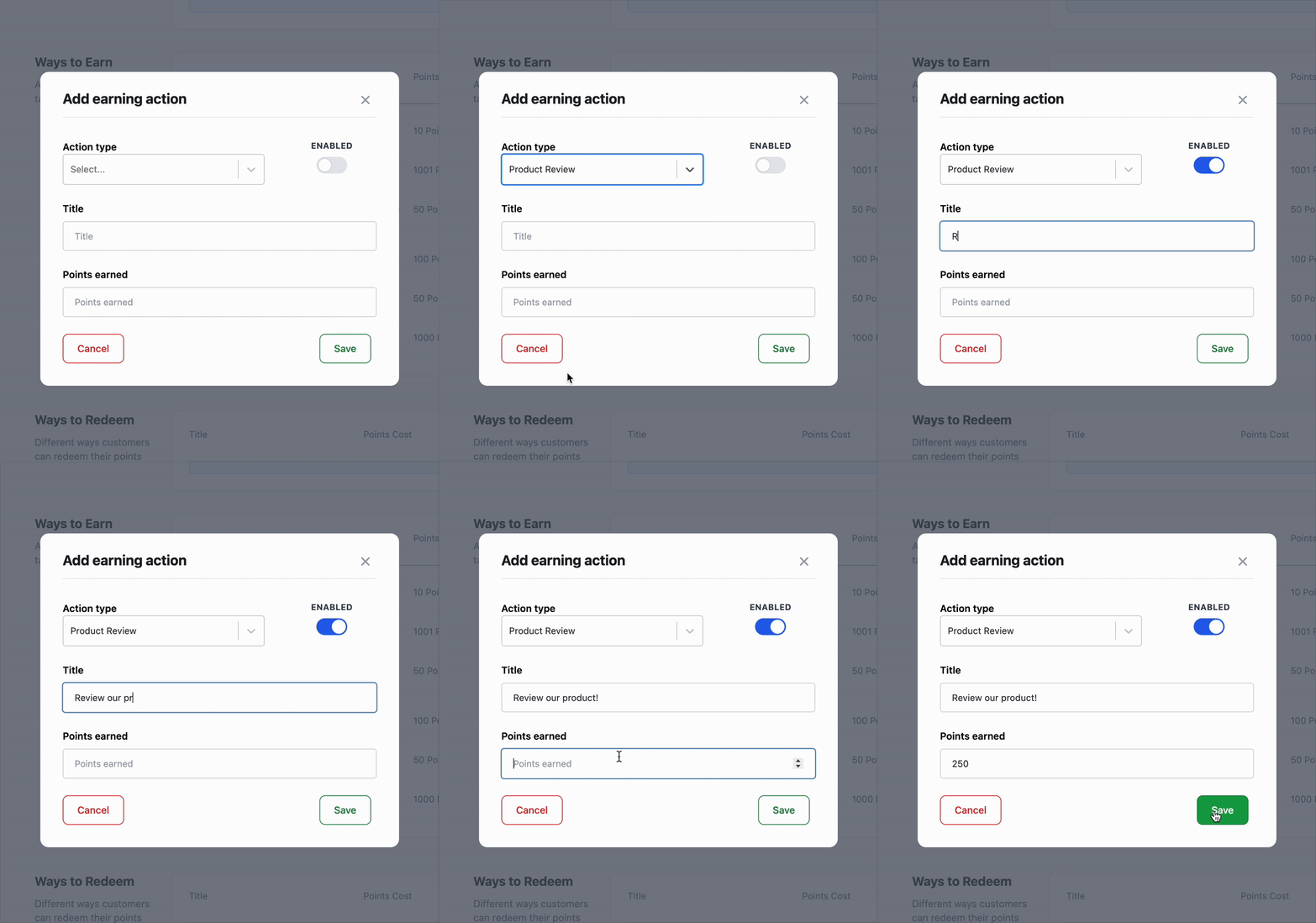
- Click Add earning action.
- In the modal that appears:
- Select the action type (e.g., review, registration, refer a friend).
- Enter a title (e.g., “Leave a Review”, “Join Our Community”).
- Set how many points will be awarded.
- Toggle the action as Enabled or Disabled.
- Click Save.
Some action types (like birthdays or social follows) require that the customer has completed that action on your site or profile. Make sure social profile URLs are set under Points & Rewards > Settings.
Managing Earning Actions
You can edit or remove any earning action at any time.
To edit an existing action:
- Go to Ways to Earn, and click Edit next to the action you want to change.
- Adjust the title, points, or status.
- Save your changes.
To remove an earning action, click the trash icon beside it.
Important Notes:
- All changes take effect immediately.
- Editing a point value won’t retroactively change previously earned points.
- Be consistent with point values across actions to keep the program balanced.