The WPGens Points and Rewards for WooCommerce plugin allows store owners to define how customers earn and redeem points. You can fully customize earning actions and redemption options to fit your store’s loyalty goals.
This guide explains how points are earned, how they are redeemed, and where to manage these settings in your WordPress admin.
How Customers Earn Points
Customers can earn points by performing specific actions on your site.
You can configure these earning actions in Points & Rewards → Setup
Common Ways to Earn Points:
You can add or customize earning actions such as:
- Place Order – Earn points for purchases (e.g., 1 point per $1 spent)
- Registration – Reward users for creating an account
- Product Review – Incentivize reviews with points
- Social Actions – Follow or like on platforms like Instagram, Facebook, TikTok
- Birthday Points – Celebrate customers by gifting points on their birthday
- Refer a Friend – Reward users who invite others to your store*
How to Add an Earning Action:
- Go to Points & Rewards → Setup
- Scroll to Ways to Earn
- Click Add earning action
- Choose the Action Type
- Enter a Title and set the number of Points Earned
- Enable the rule and Save
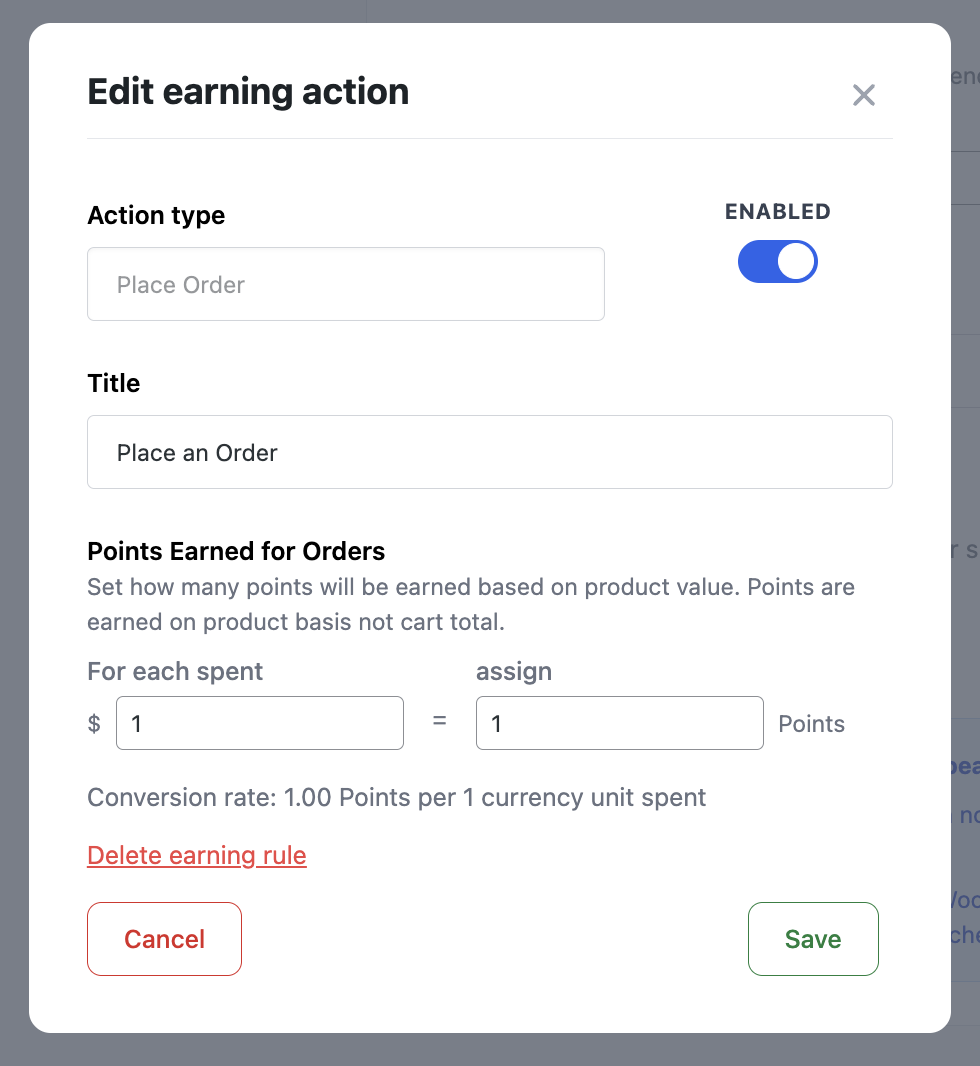
You can add as many actions as needed to align with your engagement strategy.
How Customers Redeem Points
Customers can redeem their earned points in two primary ways:
Redeem at Checkout (Points to Currency Conversion)
If enabled, customers can apply points as a discount directly at checkout.
Configure this under Points & Rewards → Setup → Points Conversion
Key settings include:
- Enable Points to Currency Conversion
- Set a Conversion Rate (e.g., 10 points = $1)
- Define:
- Minimum Points Required to redeem
- Maximum Points Allowed per order
- Whether to include shipping or exclude taxes
Where does this option appear?
The redemption form is shown in the order review section of the checkout page.
You can further control this behavior in Frontend Display:
- Auto open the form
- Hide the form if the user has 0 points
Redeem for Specific Rewards (Reward Actions)
You can also create custom rewards that customers can claim in exchange for points.
These are set in the same Setup section under Ways to Redeem
Examples of redemption actions:
- Fixed discount (e.g., $10 off)
- Percentage discount (e.g., 20% off any product)
- Free shipping
- Free product or gift item
To Add a New Redemption Option:
- Go to Points & Rewards → Setup
- Scroll to Ways to Redeem
- Click Add redemption action
- Choose an Action Type (e.g., fixed discount, free product)
- Set a Title and the Points Cost
- Save the reward
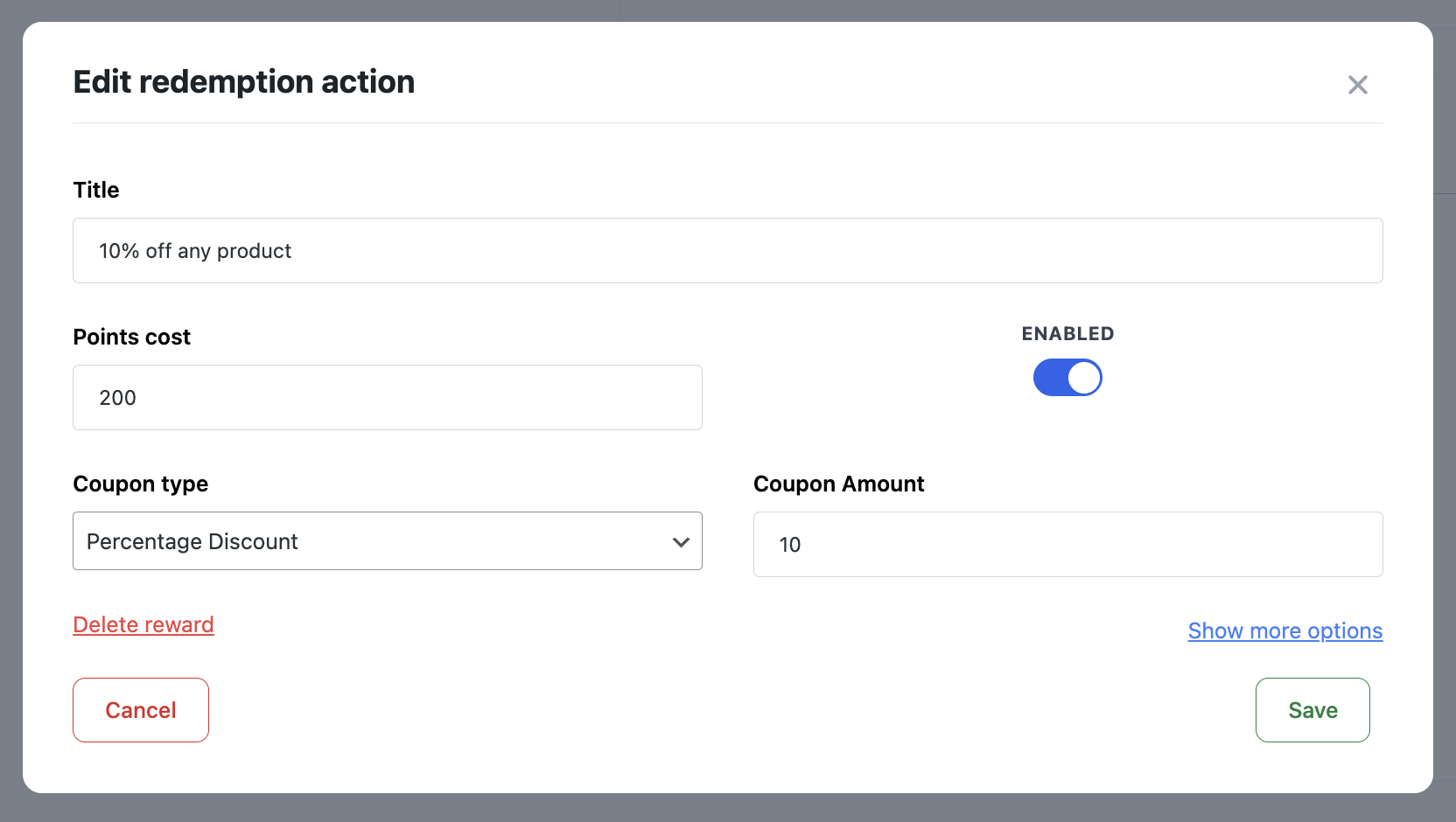
Customers can view available rewards on the Landing Page or in their My Account section.
*In order for your customers to earn points for referrals, you need to have the WooCommerce Refer a friend PREMIUM enabled.