Overview
This integration allows you to automatically sync customer loyalty points data with Omnisend. Once connected, your store will push each customer’s points balance and the date it was last updated into Omnisend as custom properties.
You can then use this data to personalize emails, build customer segments, and trigger loyalty-based automations.
Use cases and benefits
- Segment customers based on point thresholds (e.g. VIP customers)
- Send automated reminders when points are close to expiring
- Trigger loyalty-based email flows without manual work
- Reward your most engaged customers with special offers
Setup instructions
Prerequisites
This integration requires an active Omnisend account. Please make sure you are logged into your Omnisend account before proceeding.
- API key access to you Omnisend account
- The latest version of Points & Rewards for WooCommerce plugin
Step 1 – Enable Omnisend integration
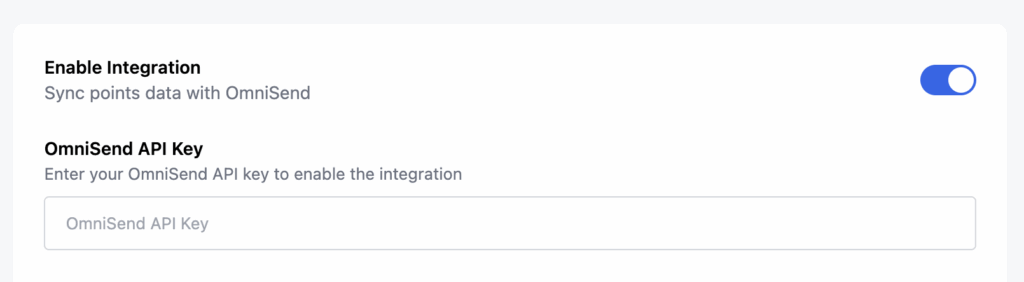
- In your WordPress dashboard, go to Points and Rewards > Settings
- Find the Omnisend Integration section
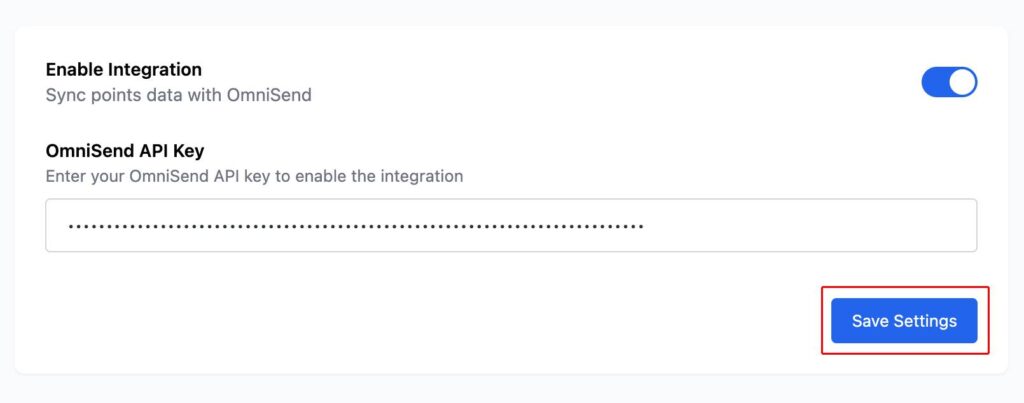
- Toggle the Enable Integration option
Step 2 – Add your Omnisend API key
- Log in to your Omnisend account
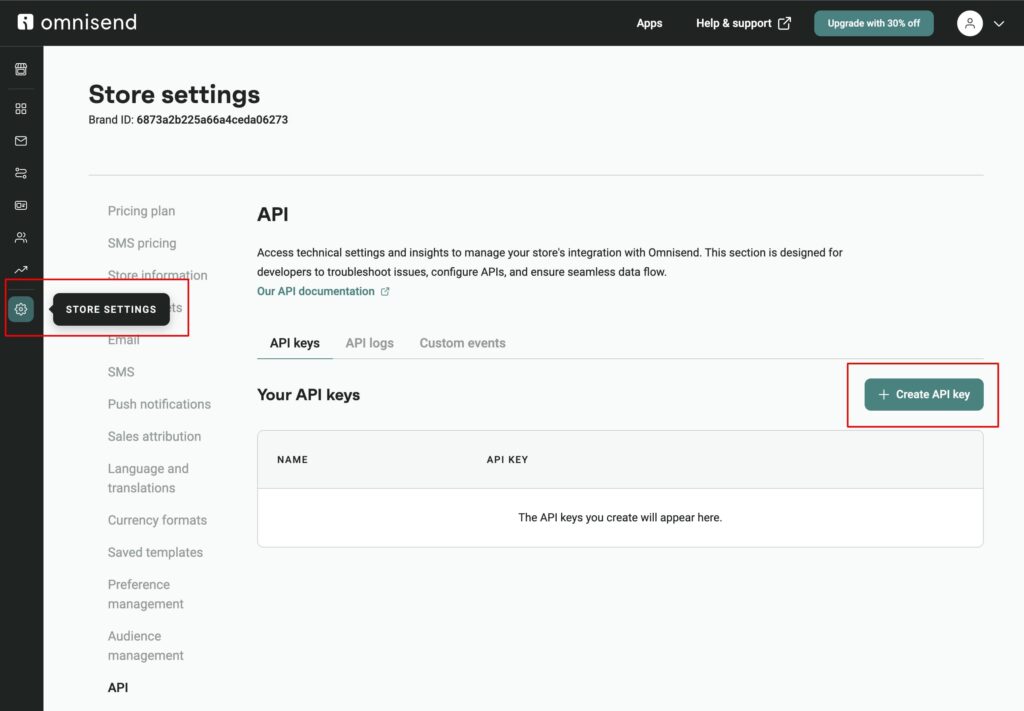
- Go to Store Settings > API Keys
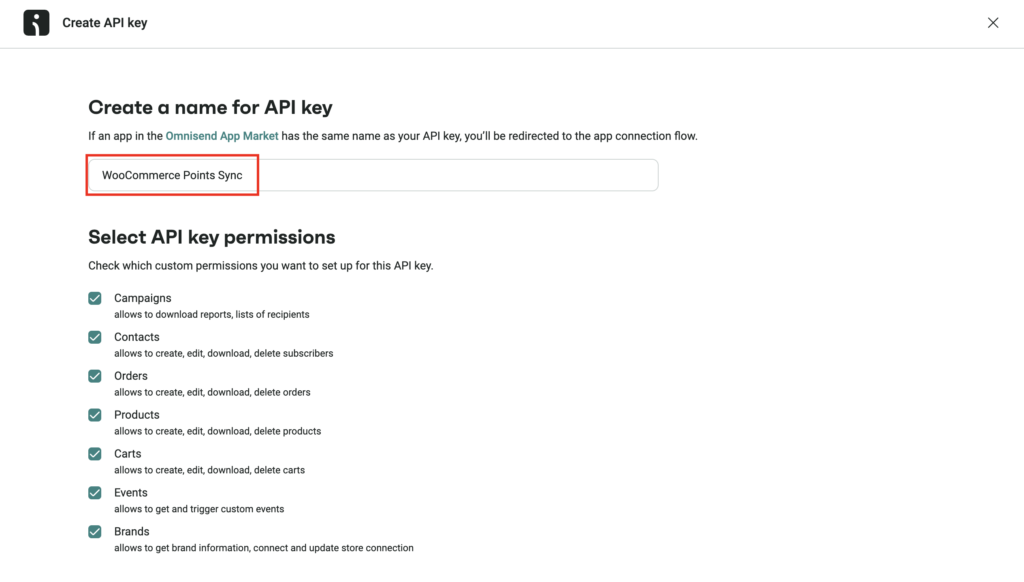
- Click Create API Key and give it a name (e.g. “WooCommerce Points Sync”)
- Select API key permissions you would like to set up with the API key, the click the Create API Key button in the bottom right corner
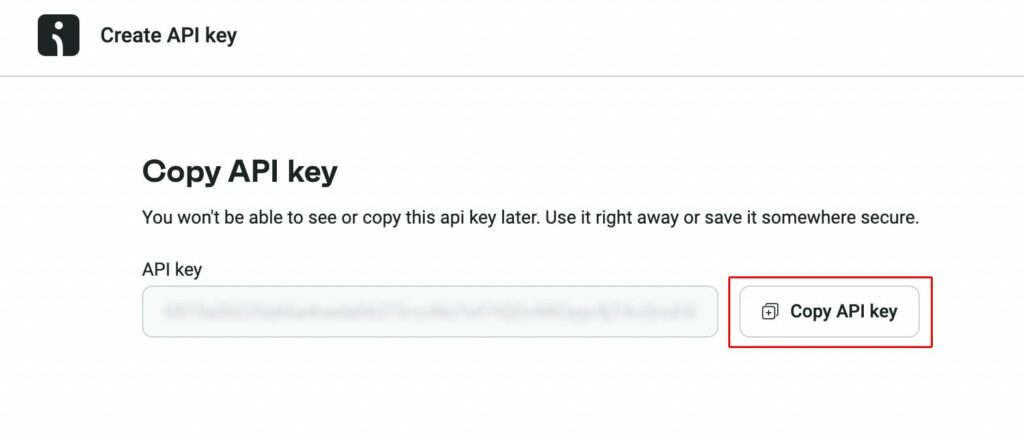
- Copy the key and paste it into the Omnisend API Key field in the plugin settings
- Click Save Settings
Step 1
Step 2
Step 3
Step 4
How the integration works
When enabled, the plugin automatically syncs customer points data to Omnisend as custom properties.
The following data is synced:
- LOYALTY_POINTS_BALANCE – Current points balance
- LOYALTY_POINTS_LAST_UPDATED – Last update date of the points
Data is synced in real-time whenever points are:
- Earned from purchases
- Earned from activities (e.g. reviews, social shares)
- Manually adjusted by the admin
- Redeemed for rewards
You can use this data in Omnisend to:
- Create segments based on points balance
- Send targeted emails to reward high-value customers
- Trigger automated flows when points are about to expire
Common issues & solutions
Points not showing in Omnisend?
Make sure your API key is correct and the customer exists in Omnisend with a matching email address.
Properties missing?
Omnisend creates custom properties dynamically when data is first pushed. If you don’t see them yet, try syncing a customer who has earned or redeemed points.
Automation not triggering?
Ensure your automation is set to trigger based on custom properties, and test with a customer who has recent point activity.