Automated emails help you keep customers in the loop and make your loyalty program feel professional and responsive. The Points & Rewards plugin includes two essential email types:
- A Points Expiry Warning Email to remind users their points will soon expire.
- A Reward Redeemed Email to confirm when a customer successfully redeems a reward.
Both can be customized with your branding, text, images, and links.
Points Expiry Warning Email
This email is sent automatically 30 days before a customer’s points expire—helping drive redemptions and avoid unused balances.
To enable and customize:
- Go to Points & Rewards > Emails
- Locate the Points Expiry Warning Email section
- Enable the toggle to turn on the email
- Customize the following fields:
- Subject
- Logo Image and width
- Body Image and width
- Title
- Email Content (supports dynamic tags)
- Button Text and Button Link
- Primary Color (for buttons and accents)
You can use dynamic tags in the email body:
{{user_name}}– Customer’s name{{points_balance}}– Current balance{{store_name}}– Your store name{{expiry_date}}– The expiration date{{expiration_period}}– Expiry period in days{{store_url}}– Your store’s URL
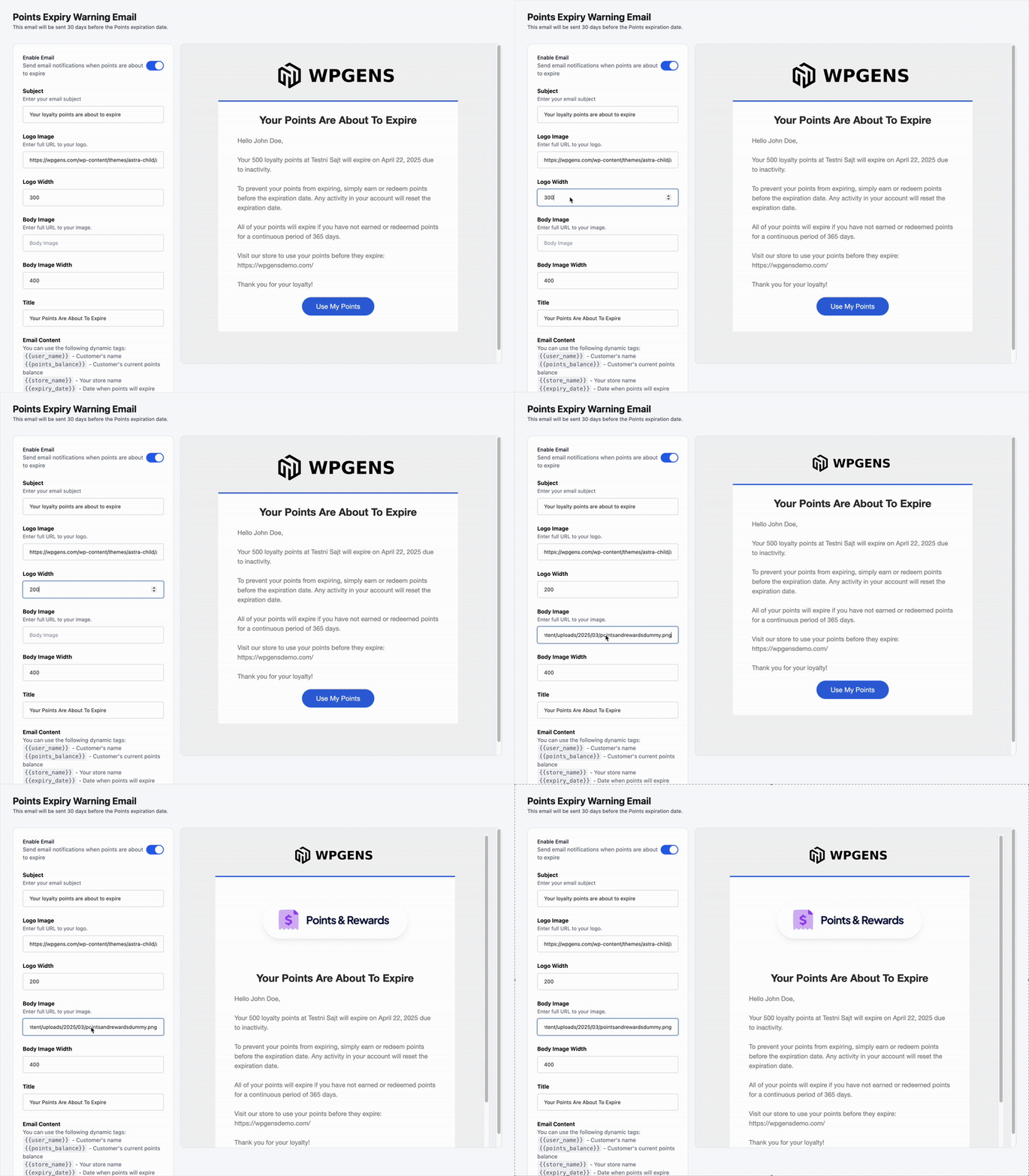
Once configured, click Send Test Email to preview the email before going live.
Reward Redeemed Email
This email is triggered automatically when a customer redeems points for a reward. It confirms the redemption and shares key details like the reward name and coupon code.
To enable and customize:
- Got to Emails > Reward Redeemed Email
- Enable the toggle to turn on the email
- Customize all the same elements as above:
- Subject, logo, body image, title, content, button, and color
- Use the following dynamic tags in your message:
{{user_name}}{{reward_name}}{{points_used}}{{redemption_date}}{{reward_code}}(if applicable){{points_balance}}{{store_name}}{{account_url}}
Use the Send Test Email feature here as well to ensure everything looks and works as expected.
Tips for Better Engagement:
- Use clear, action-oriented subject lines (e.g., “Your Points Are Expiring Soon!” or “Here’s Your Reward Code 🎉”).
- Include a visible CTA button that links directly to your points page or customer account.
- Use images that reflect your brand to keep the experience consistent and polished.