Filter and Adjust Member Points
The Members area includes built-in filters to help you find and manage customer point data more efficiently.
You can filter by:
- Name or Email
- Points Balance range
- Points Collected or Redeemed
- Search terms (e.g. partial email)
To adjust points manually:
- Find the user in Points & Rewards > Members.
- Click the Edit or Adjust Points icon.
- Enter the new point value or the number of points to add/subtract.
- Optionally include a note for reference.
- Click Save.
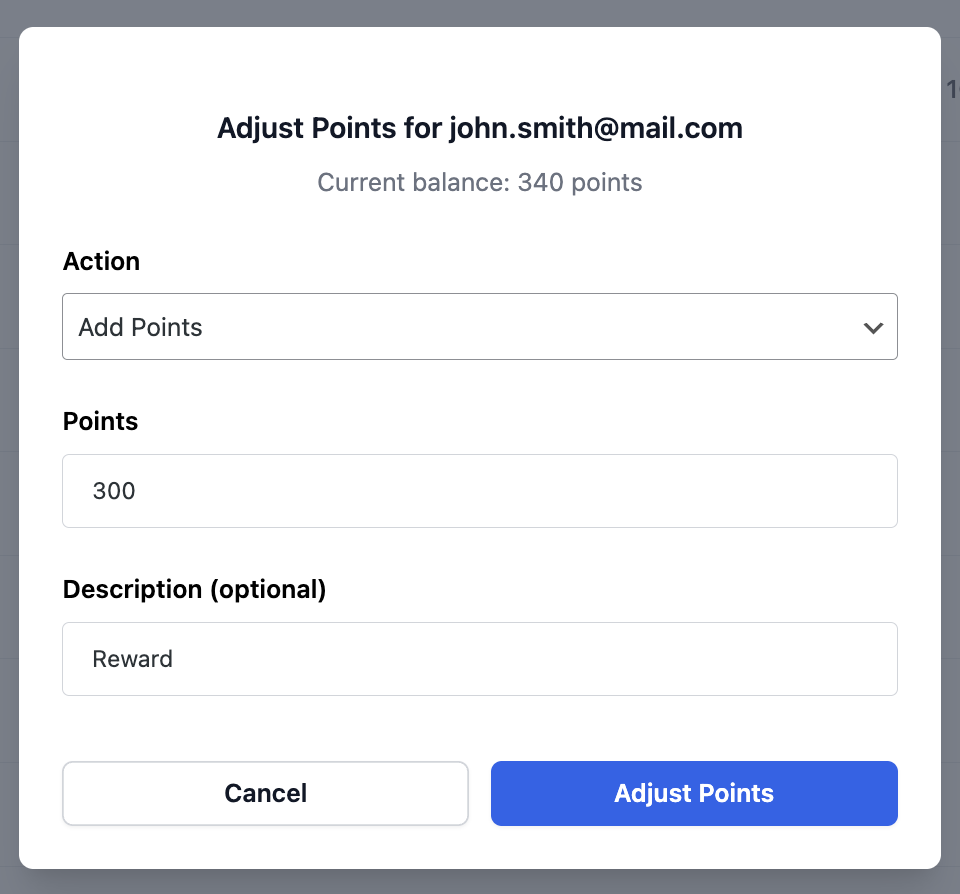
These changes are logged and reflected in the member’s activity history.